
How to Run Effective Planning Poker Refinement in Jira
Smart Guess users who, in their reviews, say:
- 'After trying many estimation tools in Jira, we landed on Smart Guess. It's the most efficient and the best app we've used'
- 'Smart Guess allows you to do the entire estimation process right from the issue. This makes the entire estimation process lightweight & intuitive'
- 'I love ❤️ that we can point from the issue card itself'
How do they run their refinement meetings? Here is how:
1. Use the Jira Backlog to organize the stories
Before the meeting starts, open the Jira Backlog and drag stories into the order you want to discuss them. The sprint goal should drive this — stories that directly contribute to the goal go to the top. Stories that are still missing acceptance criteria aren't ready to estimate yet — move them down and address those gaps first.
If a story looks too large or complex to complete in a sprint, don't skip it — bring it to the team. A quick discussion about how to slice it into smaller, deliverable pieces is often more valuable than the estimation itself.
2. Use the Jira Backlog - Issue Panel during refinement to discuss each story and note decisions
Click any story in the backlog to open the Smart Guess - Issue Panel. The whole team sees the same description, acceptance criteria, and any notes from previous discussions — without anyone leaving the backlog or opening a separate tool.
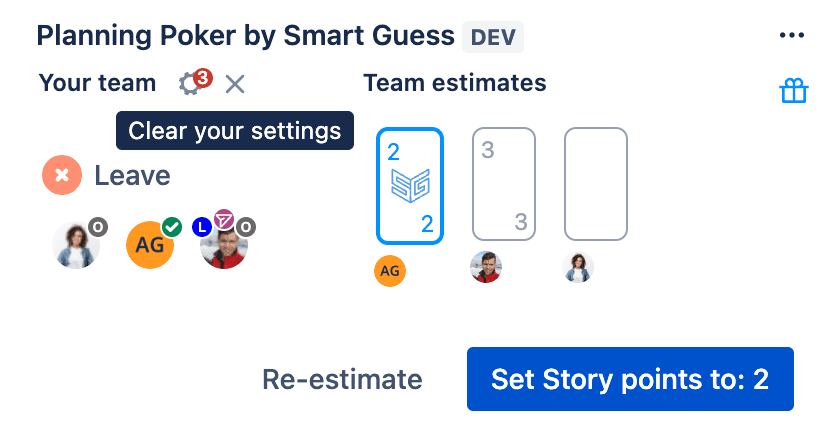
This shared view is what makes the Issue Panel a natural refinement surface. The team can read the story together, ask questions, and record decisions as they go. And when the discussion is ready to move to estimation, Planning Poker by Smart Guess is already there — no switching screens, no separate session to open. Everything happens in one place.
3. Reveal, Discuss, Decide
Once estimates are revealed, you will what your team is thinking. If there's a spread — say a 2 and a 5 — ask the outliers to explain their thinking. The disagreement is usually where the most useful information lives.
Smart Guess shows you what to expect for that story size based on your team's actual history. For a 3-point story, you might see something like: Likely 2.1d, Plan for 2.9d, Worst 3.4d — with a note on variation.
If the variation is moderate or high, that's a signal worth discussing before the estimate is locked. High variability means the team has struggled to deliver similar stories consistently — it could mean the story needs to be sliced further, or it could point to a deeper root cause worth investigating.
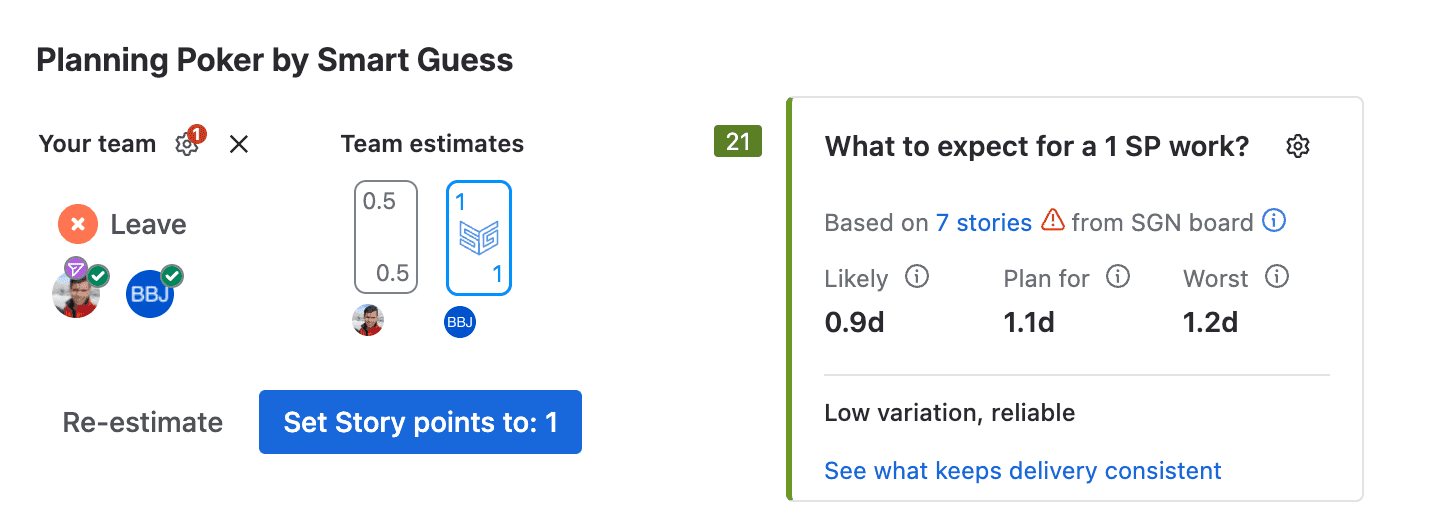
See how it works
Here is how it works. For a more detailed breakdown, check out the documentation - 2 min read.
Click "View debrief" to open the full breakdown. Here you can see each story's Coefficient of Variation (CV), along with Likely, Plan for, and Worst case durations. Stories with high CV are the ones introducing the most uncertainty into your sprint — and Noesis, the AI guidance built into Smart Guess, will point you toward where to investigate further.
This is a useful gut-check before closing the refinement meeting — if many stories are flagged with low predictability, consider reducing the scope of the sprint or taking time to understand the root cause before the team moves forward.
So what - what makes Smart Guess different?
A. Make your estimates predictable
Estimating is only half the job. Smart Guess helps you understand why some stories consistently take longer than expected — through Flow Intelligence and Noesis, which surface the root cause of variation in your team's delivery. Over time, your estimates get sharper because they're grounded in what actually happens, not just what the team hopes will happen.
B. Skip all the overhead
One-click Planning Poker means there is no setup, no estimation session to create, no stories to pick out, no extra screens, no inviting the team, no link sharing, no naming the session, no complexity in saving estimates.
Just Intuitive, Lightweight, One-Click Planning Poker - right from the Jira Backlog.
